
Windows 10 & 11 (64-bit) One-time Pro license
A visual clipboard, screenshot editor, and AI studio for Windows.
StickyPaste keeps copied images, web links, and screen clips on a floating Win+V shelf. Mark up screenshots, remove backgrounds offline, or send visual edits to AI models using your own API keys.
A floating shelf that stays above your work.
Open your pinned tiles and recent clipboard history over any window with Win+V (remappable in Settings). Drag images, text, or files straight into emails, docs, or design tools. StickyPaste Pro supports up to 12 customizable tiles and 10,000 history items. Included in Pro at launch, Clipboard Tabs let you separate projects.
Win+V default (remappable) · Drag-and-drop · Alt+1 to Alt+0 shortcuts
Compare floating file shelves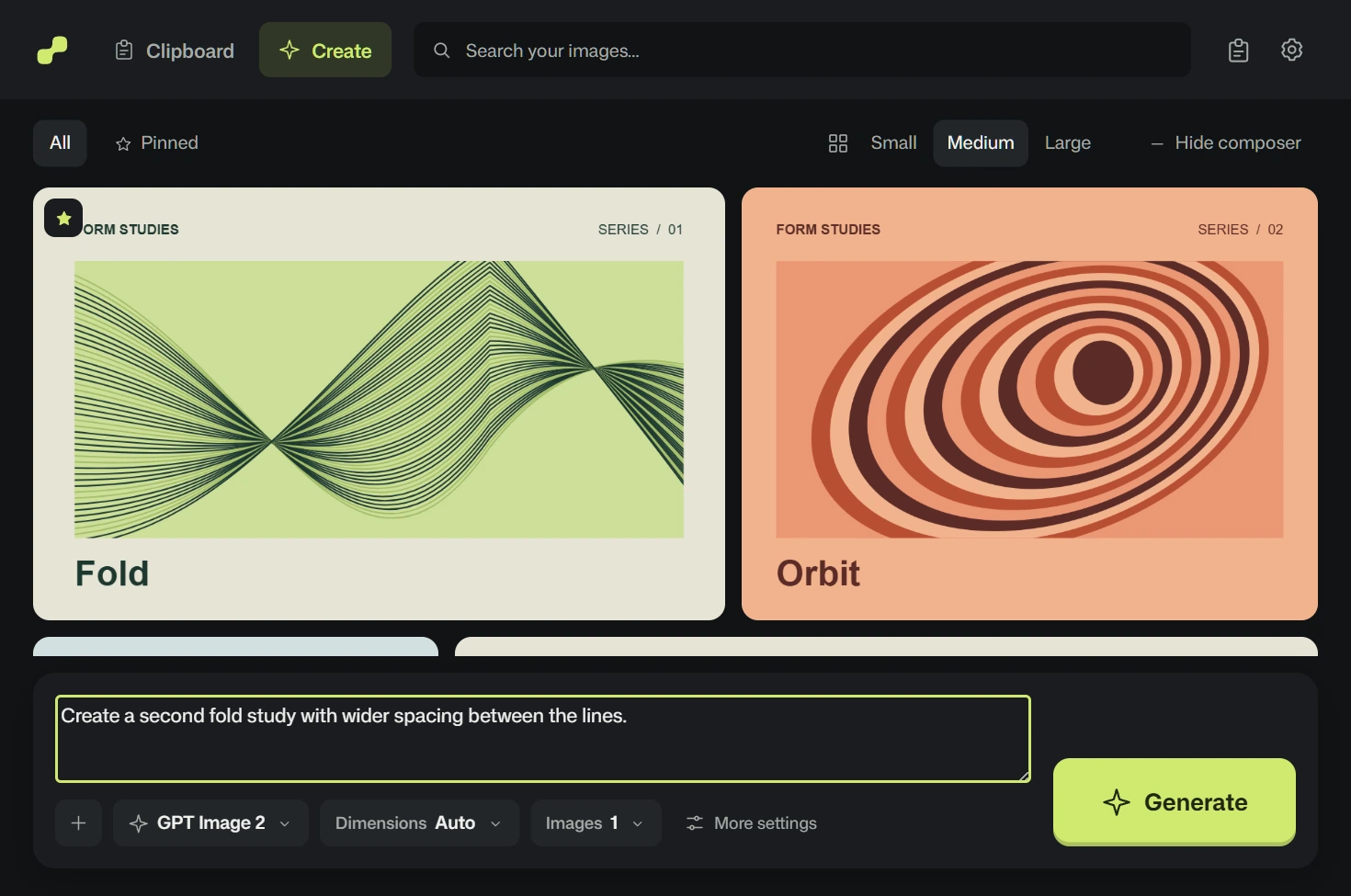
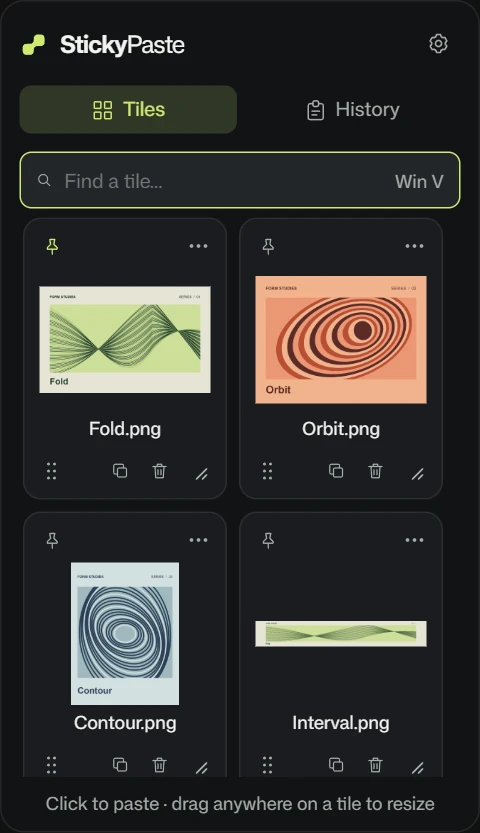
Save web images without losing the source link.
Hold Ctrl+Shift and right-click any image in your browser. StickyPaste saves the image and its source URL without pulling focus away from your tab. For moving web media, it captures a 3.5-second animated preview and keeps the original page link one click away.
Ctrl+Shift+right-click · No browser extension required
Compare visual reference apps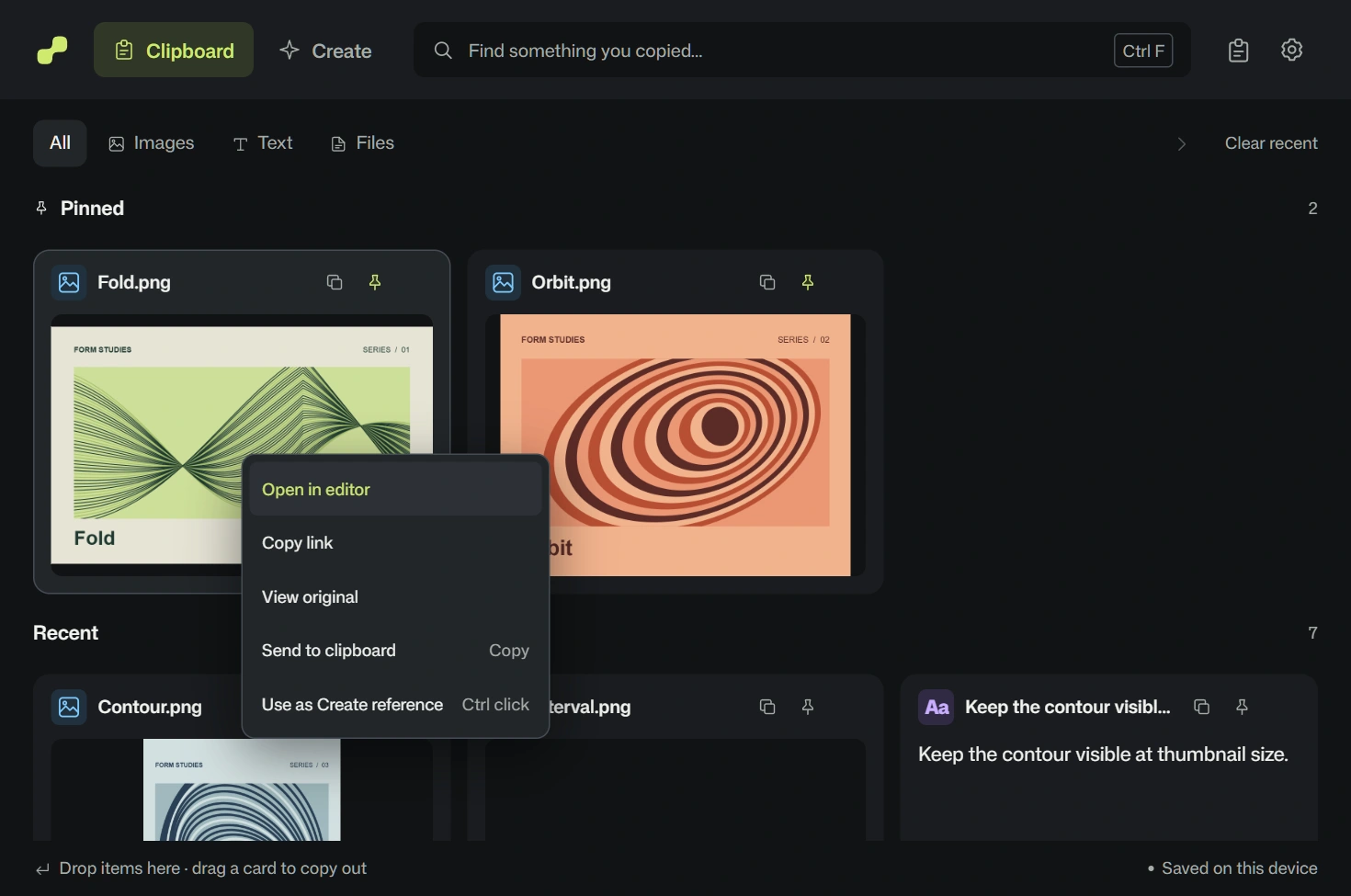
Capture, mark up, and redact screenshots in seconds.
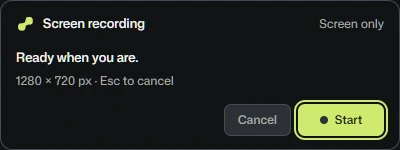
Drag a region with Win+Shift+S or Ctrl+right-drag (all shortcuts remappable). Add arrows, text callouts, numbered steps, or mosaic pixelation to blur sensitive info while keeping the original intact. Need motion? Shift+right-drag records a silent 30fps H.264 MP4 with no watermark or time limit.
Remappable capture · Non-destructive markup · Silent 30fps MP4
Compare screenshot tools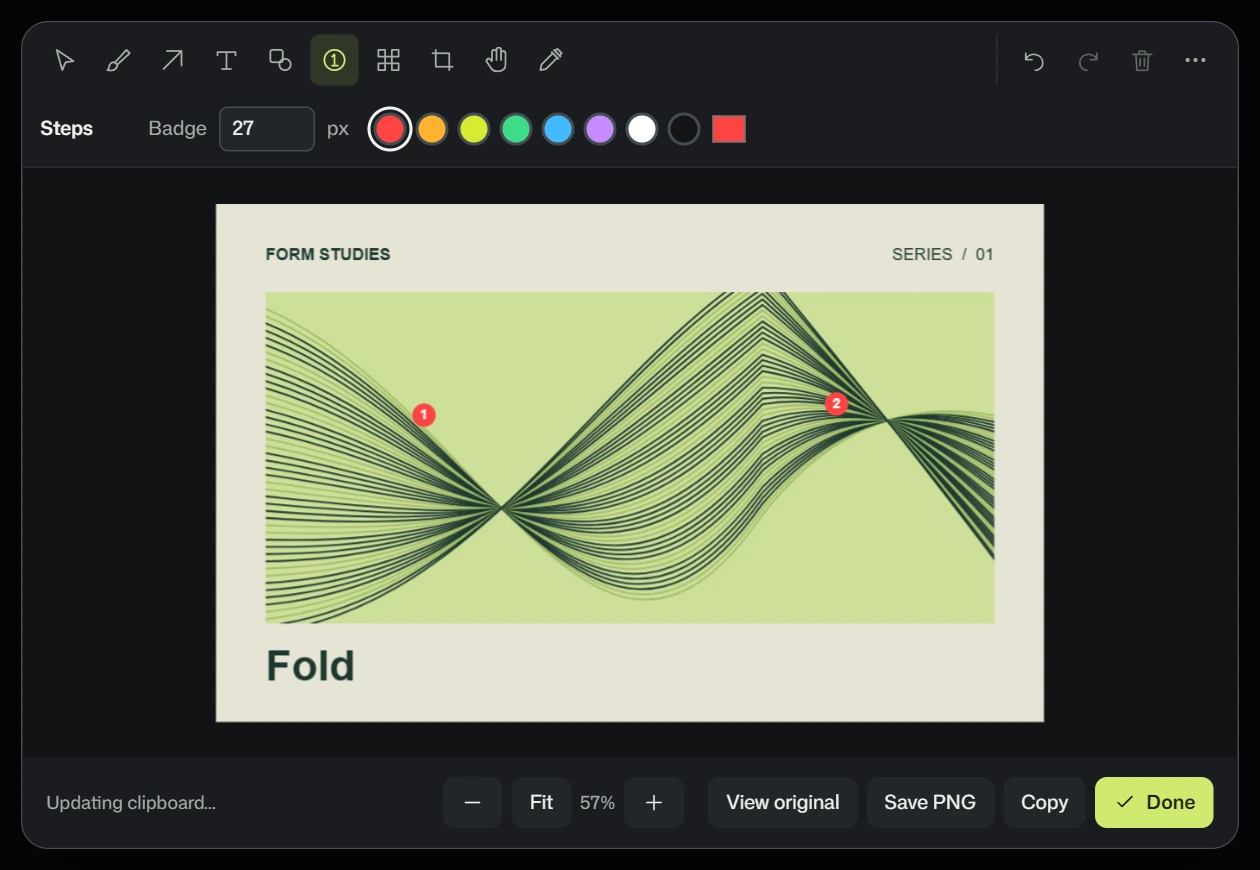
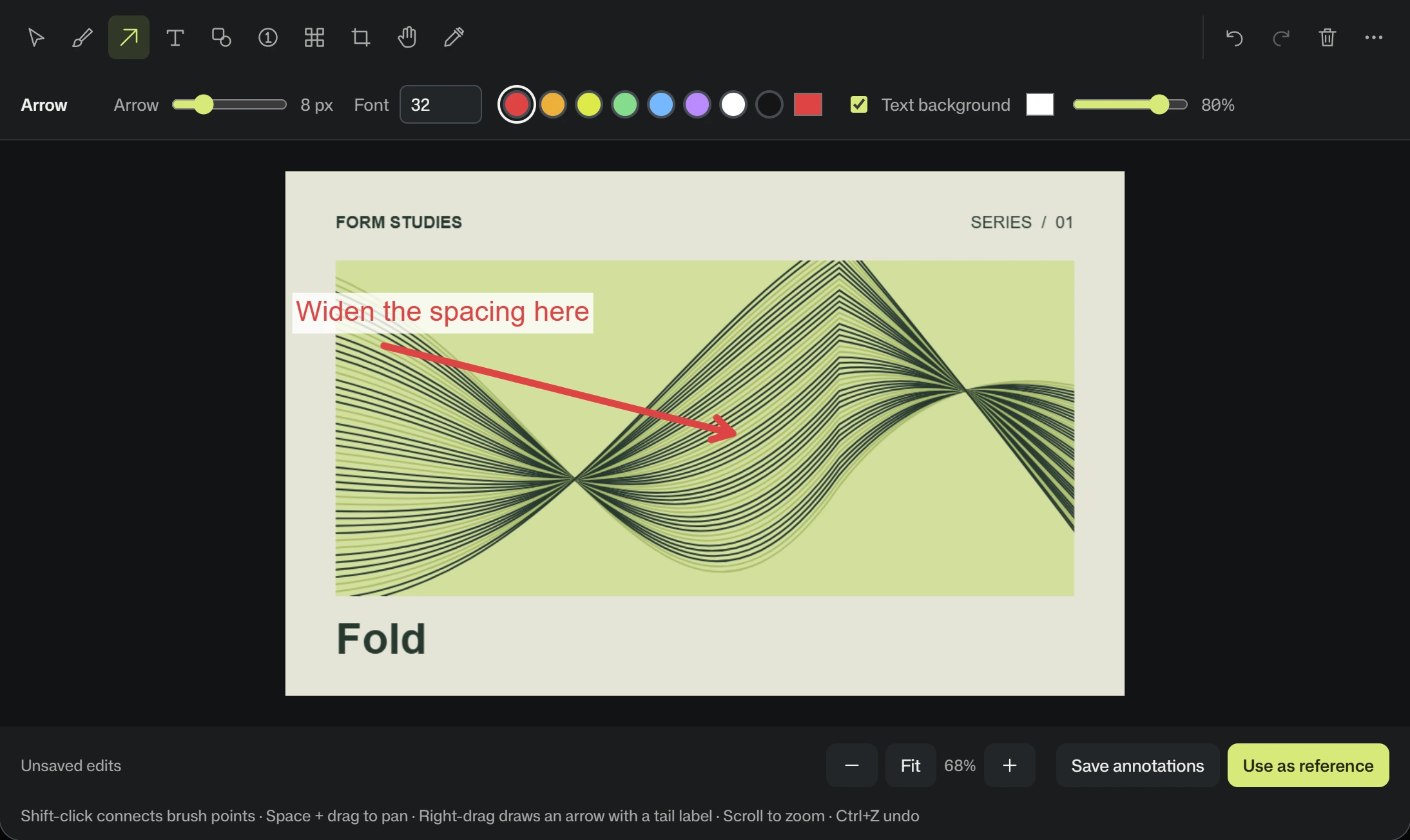
Draw what to change, then send both versions to AI.
Draw an arrow with a short note on any reference image, then click Use as reference. StickyPaste attaches both the marked copy and the clean original to Create so AI image models see where to edit using your own API keys. Need a transparent cutout first? BiRefNet Lite removes backgrounds locally after a one-time 240 MB download.

A free shelf. A one-time Pro license.
StickyPaste Free keeps your five most useful items together on Windows 10 and 11. A full 7-day Pro trial lets you try the larger shelf, redline editor, and Create studio. Keep Pro for $34.99 once, across two PCs.
Free
$0
Free to use
- 5 remembered items in total, including pins
- 5 tiles on the floating Win+V shelf
- Web image clipping with source URLs
- Original screenshot and silent MP4 capture
- Export-only Saved overflow on downgrade
Pro
$34.99
One-time purchase for 2 PCs
- Up to 10,000 history items plus protected pins
- 12 customizable tiles
- Clipboard Tabs included in Pro at launch
- Full redline markup, crop, and mosaic editor
- Local BiRefNet Lite background removal
- Create AI studio using your own API keys
- Works offline indefinitely once activated
Frequently asked questions
What is StickyPaste?
StickyPaste is a Windows 10 and 11 desktop app that combines a visual clipboard shelf, a screenshot markup editor, offline background removal, and an AI reference studio. It saves copied images, text, files, and web source URLs locally on your PC. Pro ($34.99 one-time for 2 PCs) adds expanded history, full editing, local cutouts, and AI image generation using your own API keys.
How much does StickyPaste cost, and does Pro require a subscription?
StickyPaste Free costs $0 and remembers 5 clipboard items in total, including pins, plus original screenshot and silent MP4 capture. StickyPaste Pro is a $34.99 one-time purchase for 2 activated Windows PCs with no subscription. Eligible new accounts start with a full 7-day Pro trial before deciding.
Which parts of StickyPaste work offline?
Your clipboard history, screenshots, silent recordings, and saved web clips stay on your PC. Once activated, StickyPaste Pro works offline indefinitely, and BiRefNet Lite removes backgrounds locally after a one-time 240 MB download. You only need an internet connection to sign in, verify the 7-day trial once every 24 hours, clip web URLs, or generate images via your own API keys.
Does StickyPaste Pro include AI image generation credits?
No. StickyPaste Pro includes the Create workspace, not bundled AI credits. You connect your own API keys in Windows Credential Manager without coding or paying a middleman markup. Your chosen AI provider bills API usage directly.
Do I need an account to use StickyPaste, and where are my files stored?
Yes. Opening the workspace requires signing in with Google or email and an 8-digit code so StickyPaste can verify your 7-day trial or 2-PC license. Your clipboard clips, screenshots, annotations, and API keys never go to the licensing server and stay stored locally on your Windows PC.
Join the Waitlist
Get an email when StickyPaste launches for Windows 10 and 11.